Optimizing Home WiFi Solutions in Holden: Home WiFi Setup Tips
- Scott Dworman
- Jun 1
- 3 min read

Reliable WiFi is essential for every home. Whether you work remotely, stream videos, or manage smart devices, a strong connection makes all the difference. In Holden, where homes vary in size and layout, optimizing your WiFi setup requires practical steps. I will share clear, actionable tips to improve your home network’s speed, coverage, and stability.
Understanding Home WiFi Setup Tips
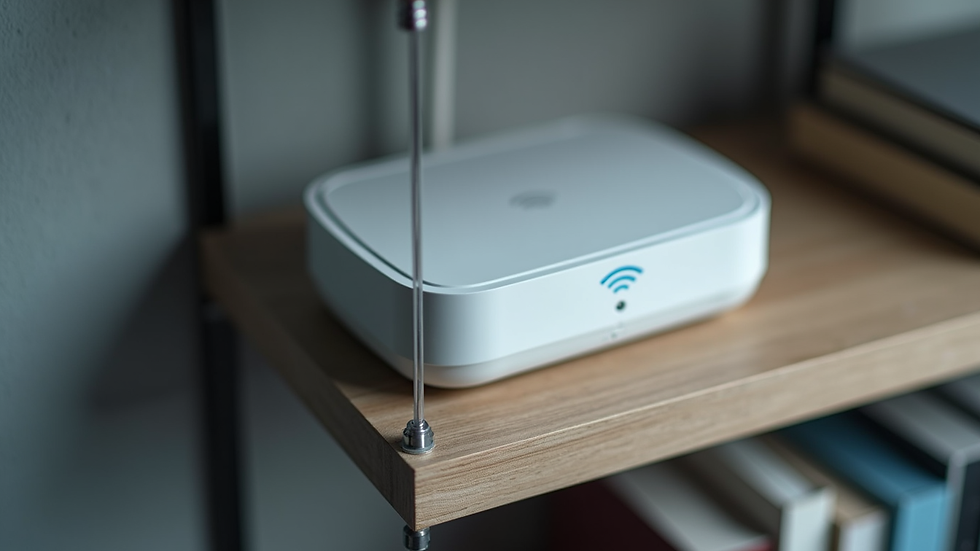
A good WiFi setup starts with knowing your home’s unique needs. Walls, floors, and furniture can block signals. Devices like microwaves and cordless phones may cause interference. Begin by placing your router in a central, open spot. Avoid basements or enclosed cabinets.
Next, choose the right router. Dual-band routers offer 2.4 GHz and 5 GHz frequencies. The 2.4 GHz band covers longer distances but is slower. The 5 GHz band is faster but has a shorter range. For most homes, a dual-band router balances speed and coverage well.
Use Ethernet cables for devices that need the fastest, most stable connection. Wired connections reduce wireless congestion and improve performance for gaming consoles, smart TVs, or desktop computers.

What is the quickest way to get WiFi at home?
If you need WiFi quickly, start with a simple setup:
Choose a reliable internet service provider (ISP). In Holden, check local ISPs for plans that fit your speed needs.
Use the router provided by your ISP or buy a compatible one. Plug it in and follow the setup instructions.
Place the router in an open, central location. This maximizes signal reach.
Connect devices to the WiFi network using the default SSID and password. Change these later for security.
Test your connection speed using online tools. Adjust router placement if speeds are low.
This approach gets you online fast. Later, you can optimize your network with better equipment or additional access points.
Improving WiFi Coverage in Larger Homes
Large or multi-story homes often face WiFi dead zones. To fix this, consider these options:
WiFi Extenders: These devices boost your existing signal to reach farther rooms. They are affordable and easy to install but may reduce speed.
Mesh WiFi Systems: Mesh networks use multiple nodes placed around your home. They create a seamless network with strong coverage and consistent speeds.
Powerline Adapters: These use your home’s electrical wiring to carry internet signals. They work well if WiFi signals struggle to pass through thick walls.
When choosing a solution, think about your home’s layout and where you use the internet most. For example, a mesh system works well in homes with many rooms or floors.
Securing Your Home WiFi Network
Security is critical. An unsecured network risks unauthorized access and data theft. Follow these steps to protect your WiFi:
Change default router login credentials. Use a strong, unique password.
Enable WPA3 or WPA2 encryption. This secures wireless communication.
Disable WPS (WiFi Protected Setup). It can be vulnerable to attacks.
Keep your router’s firmware updated. Manufacturers release updates to fix security flaws.
Set up a guest network. This isolates visitors’ devices from your main network.
Regularly review connected devices and remove any you don’t recognize. This keeps your network safe and efficient.
Enhancing WiFi Performance with Smart Technology
Smart homes demand more from WiFi networks. Devices like smart thermostats, security cameras, and voice assistants need reliable connections. To support these:
Prioritize bandwidth with Quality of Service (QoS). QoS settings let you assign higher priority to important devices or applications.
Use separate networks for smart devices. This reduces congestion on your main network.
Monitor network traffic. Some routers offer apps to track usage and identify issues.
Consider upgrading to WiFi 6 routers. WiFi 6 supports more devices with faster speeds and better efficiency.
These steps help maintain smooth performance even as you add more connected devices.
Finding Local Expertise for Your Network Needs
Sometimes, DIY solutions are not enough. Complex homes or businesses may require professional help. Local experts understand the unique challenges in Central Massachusetts. They can:
Assess your home’s layout and interference sources.
Recommend the best equipment and placement.
Install and configure advanced systems.
Provide ongoing support and maintenance.
For tailored advice, I recommend checking out home wifi solutions holden. They offer trusted services to ensure your network runs at peak performance.
Taking the Next Step in Home WiFi Optimization
Optimizing your home WiFi is an ongoing process. Start with the basics: router placement, security, and coverage. Then explore advanced options like mesh systems and smart network management. Keep your equipment updated and monitor performance regularly.
By investing time and effort, you create a reliable, fast network that supports your lifestyle and technology needs. Whether for work, school, or entertainment, strong WiFi connectivity is within reach in Holden.



Comments