
Scam of the Week: How Email Clicks Can Trick You

One careless click can tell a scammer more than you think.
The email may look harmless. A missed delivery notice. A shared document. A warning that your account will close. A “confirm your email” button. Even an unsubscribe link at the bottom of a spam message can be part of the trap.
This week’s scam is all about email clicks. Not every bad email asks for your password right away. Some are built to get one small action first: click here, open this, review that, confirm now. That click can lead to a fake login page, start a download, mark your address as active, or push you into a faster, more convincing scam.
The good news is simple: most of these scams fall apart when you slow down and check before you click.
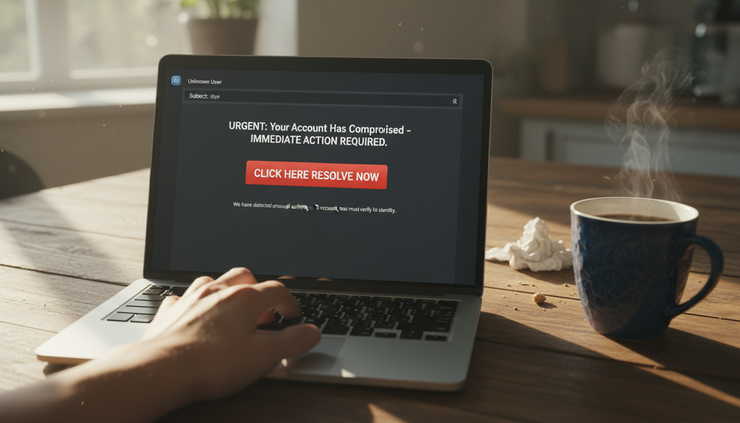
Why scammers care so much about clicks
Scammers do not always need a password on the first try. Sometimes they only need proof that a real person is reading.
A click can help them learn:
Whether your email address is active
What kind of device or browser you use
Your general location based on network information
Which message topic made you respond
Whether you might be rushed, worried, or curious enough to continue
That information helps scammers sort targets. If one person clicks a fake package link, they may get more delivery scams later. If someone clicks a fake bank alert, they may be pushed toward a more urgent message next time.
Some email services block dangerous links and attachments, but scammers keep changing their methods. They use shortened links, hacked websites, lookalike domains, and redirect chains that hide the final destination until after the click.
A scam email may not look sloppy anymore. It may copy the style of a real service. It may use your name. It may arrive in a thread that looks familiar. The trick is not always poor spelling or strange formatting. The trick is often pressure plus a clickable action.
The common email click traps to watch for
Most email scams follow a pattern. The details change, but the pressure point stays the same. The message wants you to act before you think.
The fake security alert
This email claims someone signed in to your account, changed your password, or tried to make a purchase. The button usually says something like:
`Secure your account`
`Review activity`
`Cancel request`
`Verify now`
The goal is to make you click out of fear. The link may open a fake login page that looks like a real email provider, bank, cloud storage account, or shopping site.
Once you enter your username and password, the scammer may try those credentials immediately. If you reuse passwords, the damage can spread to other accounts.
A safer move is to close the email and go directly to the service through the official app or by typing the website address yourself.
The fake delivery notice
Package scams work because many people are waiting for something. The email says a delivery failed, a fee is due, or your address needs confirmation.
The link may ask for:
Your name and address
A small “redelivery fee”
Your card number
Your account login
A text message code
The fee may be tiny on purpose. A small amount feels less risky. The real target is usually your payment card or personal information.
If a delivery message seems real, check it through the retailer’s website or the carrier’s official tracking page. Do not use the link from the email.
The fake shared document
This one appears to come from a file-sharing tool, cloud drive, scanner, or coworker. The message may say someone shared an invoice, contract, voicemail, tax form, or HR document.
The scam works because people are used to clicking shared files. The link may send you to a fake sign-in page that asks for your email password “to view the document.”
A real shared file should not require you to re-enter your email password in a strange page. If the message is unexpected, contact the sender through another channel before opening it.
The unsubscribe trick
This one feels backward. You receive spam, scroll to the bottom, and click unsubscribe to clean up your inbox.
For emails from legitimate companies, unsubscribe links are normal. For random spam or suspicious messages, that link can confirm that your address is active. It may also send you to a page that asks unnecessary questions or tries to load more tracking.
A better choice for obvious spam is to use your email provider’s Report spam or Block sender option. Let the mail system filter it instead of engaging with the sender.

What can happen after one click
It is fair to ask whether a click alone can hurt you. The honest answer is that the biggest danger usually comes from what happens next. Entering a password, downloading a file, granting access, or sharing a code creates the most serious risk.
Still, the click itself can matter.
The scammer learns you are reachable
When you click a link in a scam email, the link may include a unique tracking code. That code identifies which recipient clicked. The scammer now knows your address is active and that the subject line worked.
That may lead to more targeted emails. The next message may be more personal, more urgent, or tied to the same topic.
You land on a fake website
Many phishing links lead to pages designed to look familiar. A fake login page may copy colors, buttons, and layout from a real service. Some pages even display warnings about fraud to seem safer.
The page may ask for your:
Email password
Bank login
Social Security number
Credit card details
One-time verification code
Backup codes for an account
A key warning sign is a page that asks for information that does not match the situation. A shipping company does not need your email password. A document viewer does not need your bank card. A refund form should not ask for a one-time login code.
You trigger a download
Some links try to push a file download. The file may look like an invoice, receipt, voicemail, tax form, or browser update.
Be careful with files that end in formats such as `.exe`, `.scr`, `.js`, `.zip`, or unfamiliar document types. Even common-looking files can be risky if they ask you to enable macros, install a viewer, or bypass a warning.
If you did not expect the file, do not open it.
You get moved to another scam channel
Some email links lead to chat apps, fake support pages, or phone numbers. This shifts the scam from email to a live conversation.
That matters because live pressure can be harder to resist. A fake support agent may tell you to install remote access software, move money, buy gift cards, or share screen details.
Real companies do not ask you to pay with gift cards. They do not need remote access to “reverse” a charge. They should not pressure you to keep the conversation secret.
How to inspect an email before clicking
A few quick checks can stop most email click scams. You do not need to be a security expert. You only need a routine.
Check the sender carefully
Look beyond the display name. A message can say it is from “Customer Support” while the address tells a different story.
Watch for:
Misspelled domains
Extra words in the domain
Random characters before or after the company name
Free email addresses posing as major services
Replies that go to a different address
A lookalike domain can be easy to miss. For example, scammers may swap letters, add hyphens, or use a domain that looks official at a glance.
Hover, but do not click
On a computer, hovering over a link may show the destination. On a phone, pressing and holding may show a preview, though this varies by device and app. Be careful not to tap by mistake.
Look for a mismatch between the text and the link. A button may say it goes to a well-known company, while the actual link points somewhere else.
Shortened links can be risky because they hide the destination. If the email is already suspicious, do not try to solve the mystery by clicking.
Read the message for pressure
Scam emails often push hard on emotion. They create urgency so you skip normal checks.
Common pressure lines include:
Your account will be closed today
Payment failed, act now
Someone accessed your account
Your package cannot be delivered
You must verify within a short time
Final notice
Urgency does not prove an email is fake, but it should slow you down. Real problems can usually be checked through the official website or app.
Ask whether the request fits
This is one of the best tests.
If the email claims to be from a bank, why is it asking you to log in through a button? If it claims to be from a delivery company, why does it need your card for a tiny fee? If a document is shared, why does it need your email password?
Scam links often fail the common-sense test once the panic fades.

What to do instead of clicking
The safest habit is to separate the message from the action. If an email says there is a problem, do not use the email link to fix it.
Use one of these safer paths.
Go straight to the source
Open the official app or type the website address into your browser. Sign in from there. If there is a real alert, it should appear inside your account.
This works for banks, email providers, retailers, cloud storage, delivery services, and subscription accounts.
Use saved bookmarks
Bookmarks reduce the chance of typing the wrong address or landing on a fake search result. Save bookmarks for important accounts such as banking, email, health portals, and cloud storage.
Contact the sender another way
If a message appears to come from someone you know, verify it outside the email thread. Send a new text, call, or use a known contact method. Do not reply to the suspicious email if you think the account may be compromised.
A simple message works:
“Did you send me a document link just now? I’m checking before opening it.”
Use your email provider’s tools
Most email platforms include ways to report phishing or spam. Use those tools instead of replying, clicking unsubscribe in suspicious mail, or asking the sender to stop.
Reporting helps train filters and may protect other people from similar messages.
Turn on multi-factor authentication
Multi-factor authentication, often called MFA, adds a second step to signing in. It cannot stop every scam, especially if someone tricks you into sharing a code, but it can reduce the damage from a stolen password.
Use app-based prompts, security keys, or passkeys where available. Text codes are better than no second step, but they can still be targeted by scams.
If you already clicked, do this now
A bad click is stressful, but panic makes things worse. What matters is what happened after the click.
If you clicked but entered nothing
Close the page. Do not download anything. Do not grant permissions. You can also clear your browser history and run a security scan if you feel unsure.
Then mark the email as phishing or spam.
If you entered a password
Change that password right away from the official website or app. If you used the same password anywhere else, change it there too.
Next, check your account settings for:
Unknown recovery email addresses
Unknown phone numbers
Mail forwarding rules
New connected apps
Recent sign-in activity
Password reset messages
If your email account was involved, treat it as urgent. Email accounts often control password resets for many other services.
If you entered payment information
Contact your bank or card issuer using the number on the back of your card or inside the official app. Explain what happened and ask about next steps.
Watch for unauthorized charges. Do not trust any follow-up email that claims it can “recover” your money for a fee.
If you downloaded or opened a file
Disconnect from the internet if the device starts acting strangely. Run a security scan. If the device contains sensitive work, school, financial, or personal data, consider getting help from a trusted support professional.
Do not ignore warnings from your operating system or browser. Those warnings exist because many attacks start with a file that looks routine.

Build a safer clicking habit
Email scams work because clicking is normal. We click to track packages, read bills, join meetings, view photos, sign forms, and reset passwords. Scammers hide inside that routine.
The fix is not to fear every message. The fix is to build a pause into the moment before the click.
Use this quick rule:
If an email creates urgency and asks you to click, verify it somewhere else first.
That one habit blocks a large share of phishing attempts. It also gives you time to notice details that panic can hide.
A few more habits help:
Keep your browser and devices updated
Use unique passwords for important accounts
Save bookmarks for financial and email accounts
Report suspicious emails instead of replying
Be careful with unsubscribe links in obvious spam
Treat unexpected attachments as risky
Never share a one-time code after clicking an email link
The scam of the week may change next week, but the pattern will stay familiar. A message creates pressure. A button offers relief. A click moves you closer to the trap.
Slow down, check the source, and take the safer route. The best click is often no click at all.


Comments